DTF Transfer Design Maker
We make the DTF transfer design, not the transfer: a transparent PNG with clean edges, ready for your printer.
A DTF printer prints exactly what's in your file — including a white box if the background was never removed. Every DTF transfer design here comes out as a DTF-ready PNG: transparent, with sharpened edges and lettering, ready for your own printer or transfer supplier.
- Transparent background — nothing extra on the film
- Optional “HD print upscale (4×)” for 300 DPI at 12 inches wide
- Preview your DTF transfer design full-front, square or on the left chest
 Transparent PNG
Sample designs
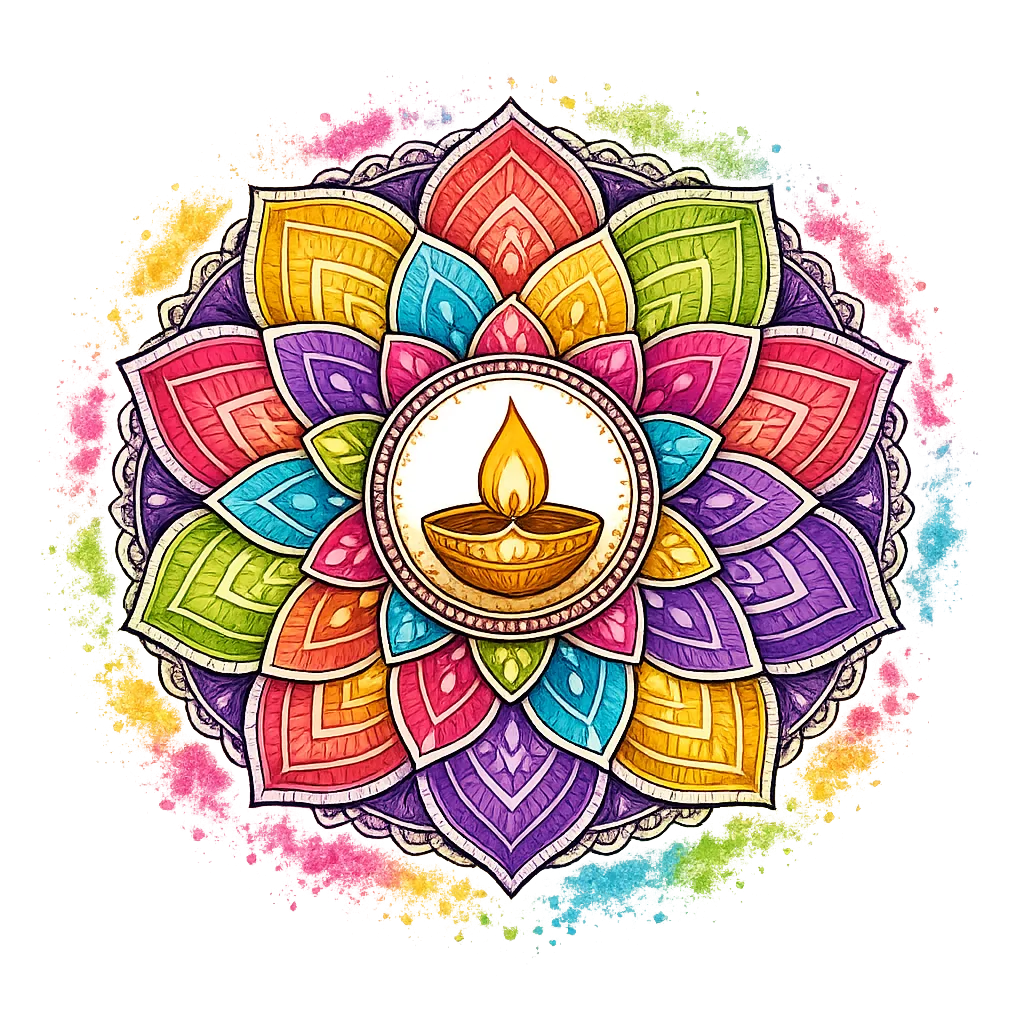
“Colorful lotus mandala with a glowing diya oil lamp in the center, Diwali festival”
Dark shirts: bright, high-contrast designs print best. Thin dark lines can get lost.
DTF Transfer Design Examples on a Transparent Background
The checkerboard is transparency — nothing there gets printed. The second row shows each DTF transfer design on a black tee.
Colorful lotus mandala with a glowing diya oil lamp in the center, Diwali festival

"FESTIVAL VIBES" in glossy 3D letters over a burst of color powder, a water gun and bowls of paint
Bold Typography
"HAPPY HOLI" in rainbow graffiti letters with paint drips, little clouds and sparkles
Bold Typography
Explosion of pink, yellow, orange and blue color powder, no text
Colorful lotus mandala with a glowing diya oil lamp in the center, Diwali festival
"FESTIVAL VIBES" in glossy 3D letters over a burst of color powder, a water gun and bowls of paint
Bold Typography"HAPPY HOLI" in rainbow graffiti letters with paint drips, little clouds and sparkles
Bold TypographyExplosion of pink, yellow, orange and blue color powder, no text
How to Make a DTF Transfer Design for Your Gang Sheet
We make the DTF transfer design; you print it wherever you like.
Generate the artwork
Describe the DTF transfer design and keep “Transparent background” and “Upscale for print” on. For large or full-front transfers, also turn on “HD print upscale (4×)”.
Download the DTF-ready PNG
Check the edges against the checkerboard and proofread any text, then download your DTF transfer design as a transparent PNG.
Place it on your gang sheet
Drop the DTF transfer design into your gang sheet builder or RIP software, set the width you want to print, and send it to your DTF printer or supplier.
DTF Transfer Design File Checklist
What a design for DTF printing needs — and what you download.
- Background
- Transparent (alpha channel), removed automatically after the DTF transfer design is drawn
- Resolution
- “Upscale for print” sharpens edges and lettering; “HD print upscale (4×)” gives about 4,096 px square — 300 DPI at 12 inches wide
- Format
- PNG, the file type gang sheet builders and RIP software accept
- Preview print areas
- Full front (12 × 16 in) · Square (10 × 10 in) · Left chest (4 × 4 in)
- White ink
- Not in the file — your RIP software or supplier adds the white underbase beneath every DTF transfer design
- Color mode
- RGB PNG — your RIP software converts each DTF transfer design to the printer's inks
We create the design file only — we don't print or ship shirts. Check the downloaded file at full size before you send it to print.
Built Around How DTF Printing Works
Small file details decide whether a DTF transfer design looks clean on the shirt.
No white box on the film
Each DTF transfer design is drawn on a plain background and then cut out, which gives cleaner edges than removing the background from a busy photo.
HD option for full-front transfers
When a DTF transfer design covers the whole front, turn on “HD print upscale (4×)” (it uses extra credits) for a transparent PNG at 300 DPI on a 12-inch-wide print.
Bright on dark shirts
A white underbase goes down beneath the colors, so a vivid DTF transfer design stays bright on black tees. Preview on Black before you download.
DTF Transfer Design FAQ
Related Tools and Pages
Fill Your Next Gang Sheet
Generate a DTF transfer design and send the PNG to your printer or transfer supplier.
Make a DTF design